
Chase the receipts. Not the clients.
LedgerBuddy is an Australian receipt-chasing app for bookkeepers whose clients use Xero. It finds the bank transactions in a client’s Xero file that have no receipt, asks the client for them by text message and email in the practice’s name, and attaches what comes back to the right transaction once someone in the practice approves it. Clients don’t need an app or a login: they tap a secure link and take a photo.

Uses your Xero login to fill in your name and email — no access to your Xero organisations.
Restricted beta, initially free. No card needed. Works with Xero only.
Where things stand (October 2026): LedgerBuddy is in a restricted beta that is initially free. Finding missing receipts, the client upload link, document screening and the receipt inbox work today for approved practices; receipt AI and individually approved Xero actions are enabled for approved accounts. Automated text and email chasing is built and is being switched on one pilot practice at a time, after setup, client-authority and safety checks. General automated reminders, voice calls and billing are not available in this initial beta.
Chasing receipts is the job nobody wants.
You copy the list of missing receipts, email it, phone, forget, chase again. Meanwhile twenty other files sit unfinished, and the BAS deadline doesn’t move.
It eats hours
Finding what’s missing in Xero, writing the request, following up, then matching and attaching each receipt by hand. Often around an hour per client per month.
Clients don’t answer
Emails get buried and calls go to voicemail. Every client prefers a different channel, and nobody prefers being nagged.
It lands at BAS time
Receipts collected months after the purchase are harder to find, and expenses without substantiation pile up at the worst moment.
Four steps, and the chasing runs itself.
LedgerBuddy works on the client files your practice connects through Xero’s own approval screen.
Find
LedgerBuddy checks the client’s Xero bank transactions and lists the ones with no receipt attached.
Chase
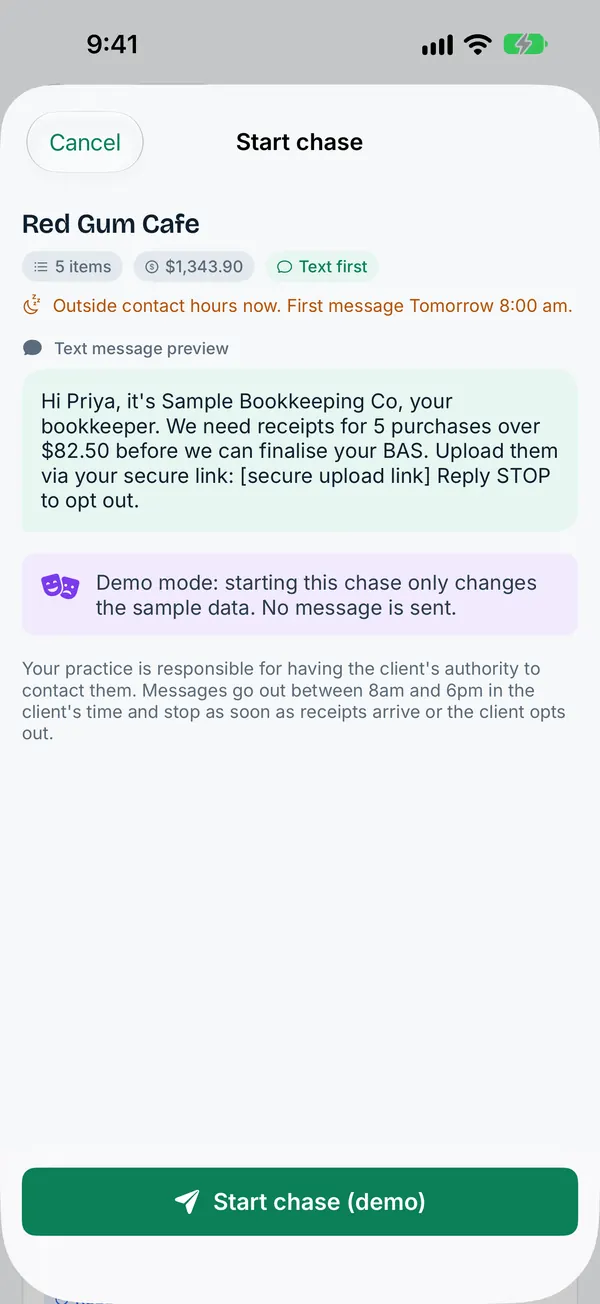
Pick the items and start a chase. The client gets a text, then an itemised email, then a final notice, all in your practice’s name.
Snap
The client taps the secure link and photographs the receipt. No app, no password, no login.
Approve
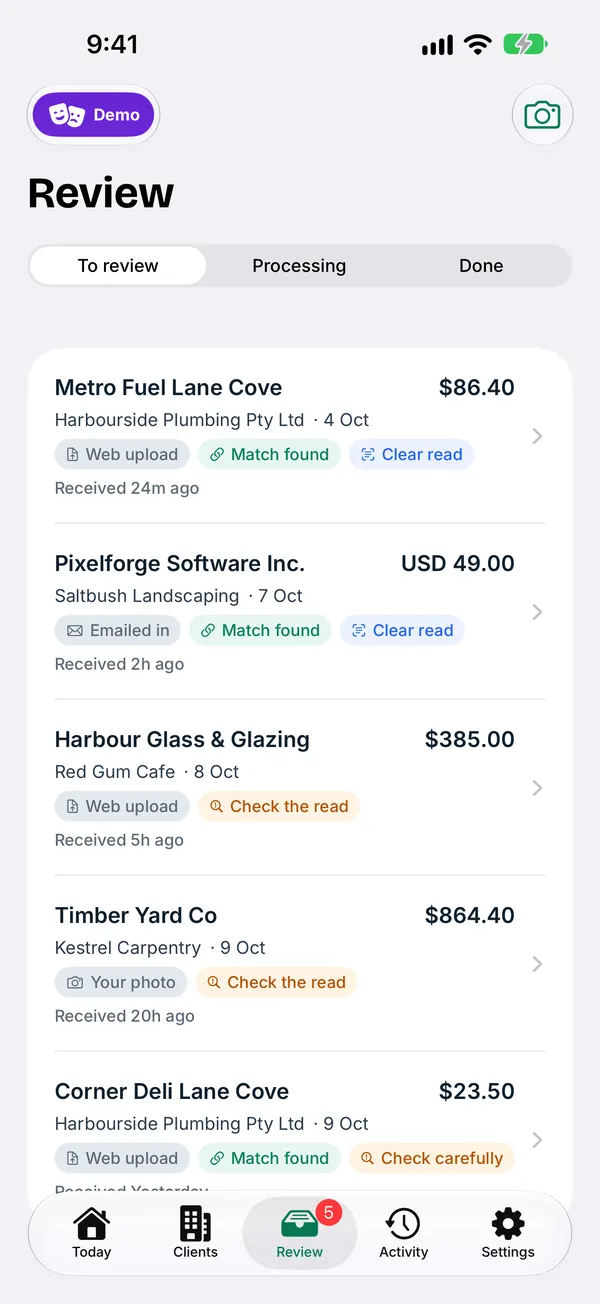
The receipt lands in your inbox, matched to the transaction or bill. You approve it and it’s attached in Xero.
About 18 hours a month back for a 20-client bookkeeper.
A worked example, in black and white. These are estimates from stated assumptions, not measured results. Measuring the real numbers is one of the pilot’s jobs.
A tidy client with two or three missing receipts saves less, which is why you only pay in months you chase a client.
| Per month | Hours | Value |
|---|---|---|
| Chasing by hand: 20 clients × ~1 hour | ~20 h | ~$2,000 |
| Review time left with LedgerBuddy (7 min × 20) | ~2.3 h | ~$233 |
| Time back | ~18 h | ~$1,767 |
Why not just email your clients?
You can. Most bookkeepers do. Here is what changes when LedgerBuddy does it.
| Emailing clients yourself | LedgerBuddy | |
|---|---|---|
| Finding what’s missing | Scroll Xero and build the list by hand | Listed for you from the client’s Xero bank transactions |
| Follow-ups | Whenever you remember | Text on day 0, itemised email on day 2, final notice on day 5 |
| What the client sees | A long email to dig through and reply to | A text with one secure link; snap a photo and done |
| Getting it into Xero | Download, find the transaction, attach | Matched for you; approve and it’s attached |
| Record of contact | Spread across your inbox and phone | One audit trail per client |
| Rules | Up to you | Contact caps, business hours and an opt-out built in |
Accounting software can flag transactions with no receipt. LedgerBuddy does the part after that: the chasing, the collecting and the attaching.
Your practice, in your pocket.
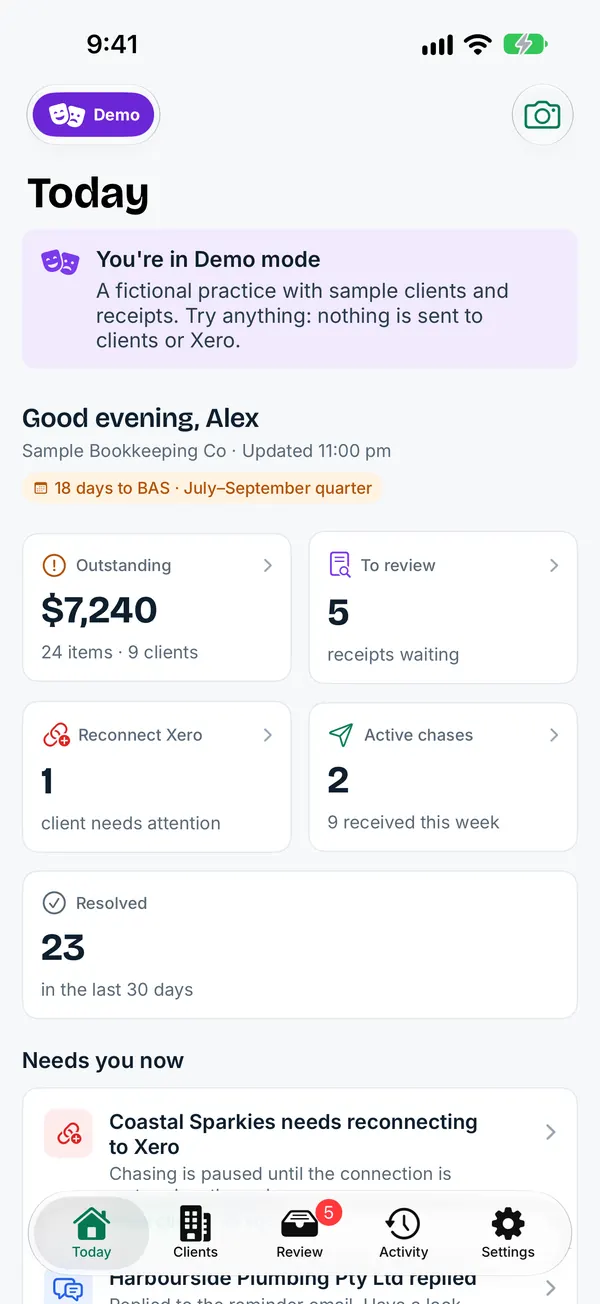
See what needs doing today, start a chase between meetings, and review and approve receipts on the go. The iPhone app is for bookkeepers; your clients never need an app.
Submitted to the App Store and awaiting Apple’s review. See what it does.
No chase, no charge.
Today: Free during the restricted beta. There are no subscription or usage fees, and no card is needed to apply. If a paid plan is introduced later, we will give your practice at least 30 days’ written notice of the prices before any fee applies, and you can leave before then without charge (Platform Terms clause 8).
How pricing works after the beta
Per chased client
one simple price, only in months that client is chased.
- Unlimited invoices, no overage
- A client you don’t chase that month costs nothing
- Optional AI phone calls as an add-on (coming soon)
- No tiers, no lock-in
Not charged yet. Pilot practices that continue get a discounted rate. Prices are confirmed to your practice in writing at least 30 days before any fee applies.
Calm, capped and in your name.
- Every message carries your practice’s name and an opt-out. Opt-outs take effect straight away, on every channel.
- No more than three contacts per client in any seven days.
- Messages only go out between 8am and 6pm on business days, in the client’s time zone.
- The chase stops item by item as receipts arrive, so clients who have sent everything aren’t nagged.
- Every contact, upload and approval goes on an audit trail.
Your data and your responsibilities
LedgerBuddy never asks for your Xero password. You approve access on Xero’s own screen, and you can disconnect at any time. Nothing is written to Xero without a person approving it. See exactly what LedgerBuddy reads from and writes to Xero.
Your practice remains responsible for client authority and accounting decisions. LedgerBuddy does not supply a supervising BAS or tax agent.
Questions bookkeepers ask us
What is LedgerBuddy?
LedgerBuddy is an Australian receipt-chasing app for bookkeepers whose clients use Xero. It finds the bank transactions in a client’s Xero file that have no receipt, asks the client for them by text message and email in the practice’s name, and attaches what comes back to the right transaction once someone in the practice approves it. Clients don’t need an app or a login: they tap a secure link and take a photo. It is made in Adelaide by JR Photo and Video Pty Ltd.
How much time does it save?
Our working estimate, not yet a measured result: a bookkeeper with 20 clients who spends about an hour per client per month chasing receipts spends about 20 hours a month, or around $2,000 of time at $100 an hour. Allowing 7 minutes per client for the review work that’s left, that is about 18 hours back. A more conservative model (25 clients at $55 an hour) gives about 8 to 10 hours a month back. Tidy clients with two or three missing receipts save less, which is why you only pay in months you chase a client. See the assumptions.
What does LedgerBuddy cost?
Nothing today: it is free during the restricted beta and the pilot is free for three months. The planned pricing after the beta is a single price per client, charged only in months that client is chased, with optional AI phone calls as an add-on (coming soon). Unlimited invoices, no overage charges, no tiers and no lock-in. Before any fee applies we give your practice at least 30 days’ written notice, and you can leave before then without charge (Platform Terms clause 8).
Can I switch clients on and off each month?
Yes. Each client has a chasing switch, and you choose when to start a chase and which items to include. A client you don’t chase in a month isn’t counted. Archived clients aren’t chased or billed, and their history is kept.
What does my client need to do?
Nothing to install and nothing to log in to. They get a text and an email from your practice with a secure link, tap it, and photograph or upload the receipts. Links normally expire after 30 days and can be cancelled earlier. Every file is security-screened before anyone opens it.
Where is the data stored, and is it secure?
Application records and uploaded receipts are hosted on Cloudflare; Australia-only storage or processing is not guaranteed. Document scanning and daily backups run on AWS in Sydney. Text messages and emails go through HighLevel, which processes data in the United States. Data is encrypted in transit and at rest, every user signs in with multi-factor authentication, and LedgerBuddy never sees a Xero password. Full provider and location list.
Try it on one client, free for three months.
We are starting with a small group of practices: one client each, three months, no card. Tell us how it goes.